BURST GRID
출시 준비 중 · Coming soon한 발의 선택.
끝까지 터지는 연쇄.
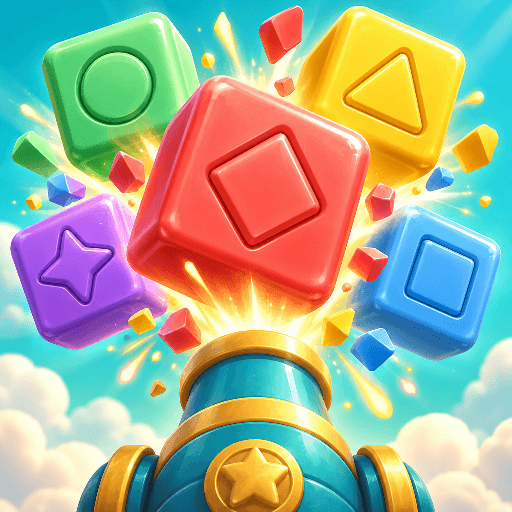
색을 고르고, 보드를 돌리고, 다음에 떨어질 블록까지 생각해 보세요.
Tap. Pop. Chain!
Choose a color, turn the board, and plan for what falls next.
10개 챕터를 순서대로.
Ten worlds to unlock.
폭탄·로켓·열쇠까지.
Bombs, rockets, keys, and more.
시간 제한 없이, 한 수 더 생각해요.
No timer. Make a plan.
LET’S CLEAR THE WAY
이용 안내 · Support
어떻게 플레이하나요? / How do I play?
아래에서 발사할 색을 누르면 탄환이 첫 블록에 닿고 연결된 같은 색이 함께 터집니다. 떨어진 블록이 같은 색이면 무료 연쇄가 이어집니다. Tap a color to fire upward at the first blocks. Connected matching colors pop; matching blocks that fall into reach trigger free chains.
길이 막혔어요. / My shot is blocked.
회전 버튼이나 좌우 스와이프로 다른 가장자리를 발사선으로 가져오세요. 회전은 무료입니다. 얼음은 인접 블록을 터뜨려 녹이고, 잠금은 같은 색 열쇠로 엽니다. Rotate the board with the turn buttons or a horizontal swipe. Rotations are free. Thaw ice by popping a neighbor, and open locks with matching keys.
다음 레벨은 어떻게 열리나요? / How do levels unlock?
모든 블록을 제한된 발사 안에 제거하면 다음 레벨이 열립니다. 완료한 레벨은 언제든 다시 할 수 있습니다. Clear every block within the shot limit to unlock the next level. Replay completed levels whenever you like.
플레이 제한이나 힌트가 있나요? / Play limits or hints?
시간 제한이나 에너지 시스템이 없습니다. 재시작은 무료이고, 블록 아이콘을 누르면 기믹 설명을 볼 수 있습니다. 정답을 알려주는 자동 힌트는 없습니다. No timer or energy meter. Retries are free, and the block icons explain each mechanic. There are no automatic solution hints.
기록은 어디에 저장되나요? / Where is progress saved?
진행도와 설정은 기기에 저장되며 계정이나 자체 클라우드 동기화는 없습니다. 앱 데이터를 지우면 기록이 사라질 수 있습니다. Progress and settings stay on your device. No account or proprietary cloud sync. Removing app data can erase progress.
광고는 언제 나오나요? / When are ads shown?
배너는 조작 버튼 아래에 표시됩니다. 새 레벨 5개 완료 후, 최소 3분의 실제 플레이 간격을 두고 다음 레벨로 넘어갈 때 전면광고가 표시될 수 있습니다. 실패·재도전은 횟수에 포함되지 않습니다. 광고가 없어도 게임은 진행됩니다. A banner sits below the controls. Interstitials may appear when continuing after five new clears and at least three active minutes. Failures and replays do not count. Gameplay continues when ads are unavailable.
언어·소리·광고 선택 / Language, sound, and ad choices
상단 언어 버튼으로 한국어·영어를 전환하고 스피커 버튼으로 소리를 조절하세요. 필요한 지역에서는 하단 광고 개인정보 설정으로 선택을 다시 열 수 있습니다. Switch English/Korean with the top language button and toggle sound with the speaker. Where required, reopen ad choices using Ad privacy settings at the bottom.
도움이 필요하신가요? · Need help?
앱 버전, 기기 모델, 레벨 번호와 문제를 알려주세요. 비밀번호나 결제 정보는 보내지 마세요.
Include the app version, device model, level number, and what happened. Do not send passwords or payment details.
g.kangksw@gmail.com