TINY FREIGHT
출시 준비 중 · Coming soon작은 배송소.
커다란 퍼즐.
눈앞의 색보다, 그 뒤의 순서.
알록달록한 화물을 정리하고 막힌 배송을 풀어보세요.
A tiny depot. A big puzzle.
Sort colorful parcels, plan ahead, and make every delivery count.
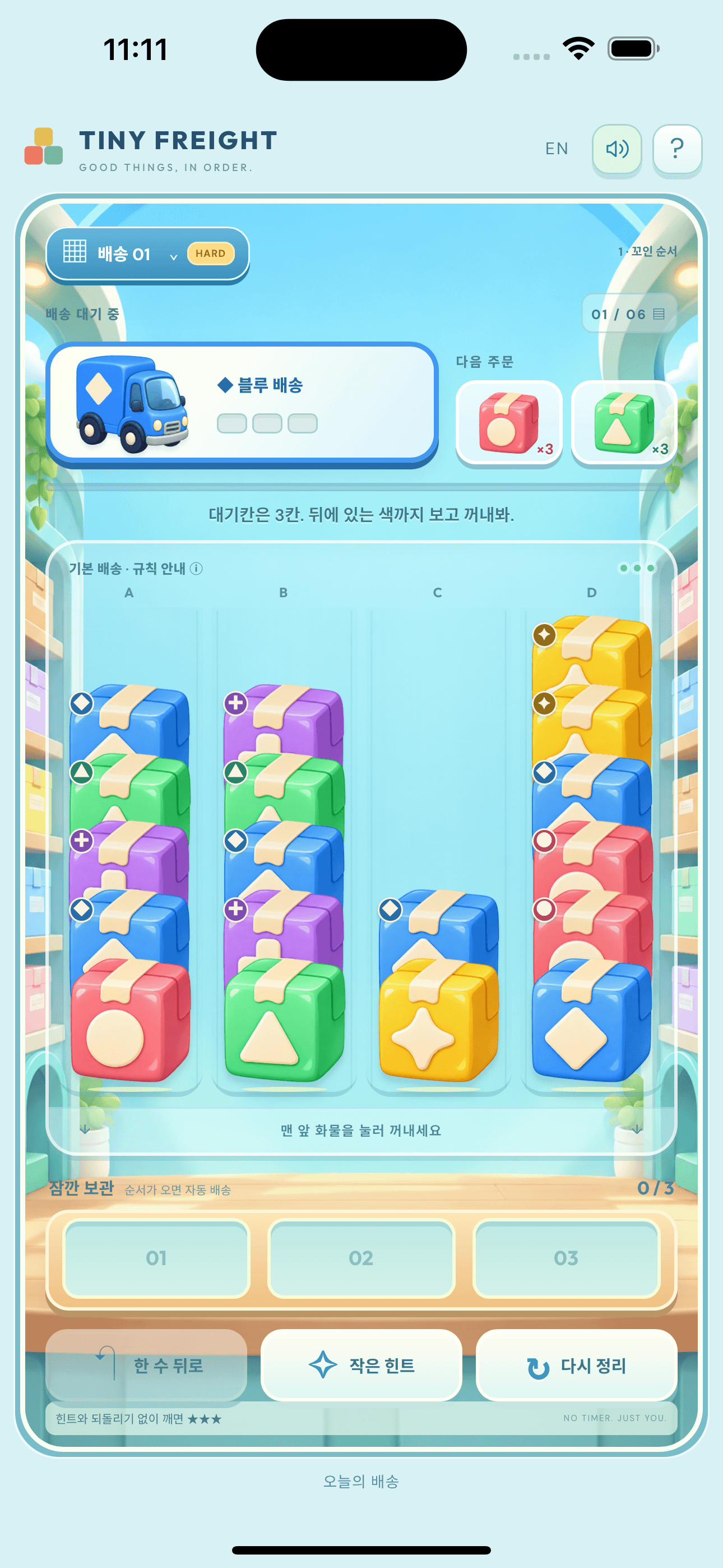
10개 챕터의 배송 퍼즐.
200 puzzles across 10 chapters.
게이트부터 교대 셔터, 특급 화물까지.
Gates, belts, XL cargo, flips, shutters, and express parcels.
서두르지 말고, 한 수 더 생각해요.
Take your time. Find your next move.
HELP FROM THE DEPOT
이용 안내 · Support
어떻게 플레이하나요? / How do I play?
각 줄의 맨 아래 화물을 누르세요. 현재 주문과 같은 색 3개를 모으면 트럭이 출발합니다. 다른 색은 한정된 대기칸에 보관돼요. Tap a front parcel. Match three parcels to the current truck; other colors wait in limited holding space.
길이 막혔어요. / I am stuck.
한 수 뒤로, 힌트, 다시 정리 버튼을 사용해 보세요. 힌트는 배송마다 3회이며 재시작해도 충전되지 않습니다. 게이트와 특수 화물의 규칙은 게임판의 규칙 안내에서 확인할 수 있습니다. Try Undo, Hint, or Restart. Each delivery has three hints; restarting does not refill them. Open the board’s rule guide to learn each special mechanic.
시간이나 플레이 횟수 제한이 있나요? / Is play limited?
시간 제한이나 에너지 시스템은 없습니다. 배송을 완료하면 다음 레벨이 열리며, 완료한 배송은 다시 도전할 수 있어요. There is no countdown or energy meter. Complete each campaign delivery to unlock the next, and replay completed deliveries at your own pace.
기록은 어디에 저장되나요? / Where is progress saved?
완료한 배송, 현재 퍼즐과 설정은 기기에 저장됩니다. 계정 로그인과 자체 클라우드 동기화는 없습니다. 앱과 데이터를 삭제하면 진행 기록이 사라질 수 있습니다. Progress and settings stay on your device. There is no account or in-app cloud sync; removing the app and its data can erase progress.
광고는 언제 나오나요? / When are ads shown?
배너는 게임 아래에 표시됩니다. 전면 광고는 새 캠페인 배송 5개 완료 및 최소 3분의 실제 플레이를 기준으로, 완료 화면에서 다음 배송을 시작할 때 표시될 수 있습니다. 재도전·실패·오늘의 배송은 횟수에 포함되지 않습니다. 광고가 없거나 동의가 필요하면 게임은 계속 이용할 수 있습니다. Banners appear below the game. Interstitials may appear when continuing after five new campaign clears and at least three active minutes. Replays, failures, and daily puzzles do not count. Gameplay remains available without ads.
광고 개인정보 선택은 어디서 바꾸나요? / How do I change ad choices?
해당 지역에서 Google의 선택 화면이 제공되면 게임 하단의 광고 개인정보 설정 버튼으로 다시 열 수 있습니다. 기기 설정에서도 광고 관련 선택을 관리할 수 있습니다. Where Google’s privacy options are required, reopen them with Ad privacy at the bottom of the game. Device privacy settings provide additional controls.
언어와 소리는 어떻게 바꾸나요? / Language and sound?
화면 위의 EN/한 버튼으로 한국어와 영어를 전환하고, 스피커 버튼으로 효과음을 켜거나 끌 수 있어요. Use EN/한 to switch languages and the speaker button to toggle sound.
도움이 필요하신가요? · Need help?
앱 버전, 기기 모델, 문제가 발생한 배송 번호를 알려주시면 확인에 도움이 됩니다. 비밀번호나 결제 정보를 보내지 마세요.
Include your app version, device model, and delivery number so we can investigate. Do not send passwords or payment details.
g.kangksw@gmail.com